
You can only see and edit the Agency's Billing Information if you have the permission to do so. This is usually administrators and Agency Principals.
If you do have the required permission, you can update your billing information by following the steps below:
- Select the CoTé Support icon (
 ) in the top right of the screen. A menu will be displayed.
 - Select My Account (
 ) menu item. This will open the Account Billing screen which contains the billing details.
 - You can modify the following billing fields:
- Payment Details
- Click the Card Name edit button (
 , to the right of Bill To.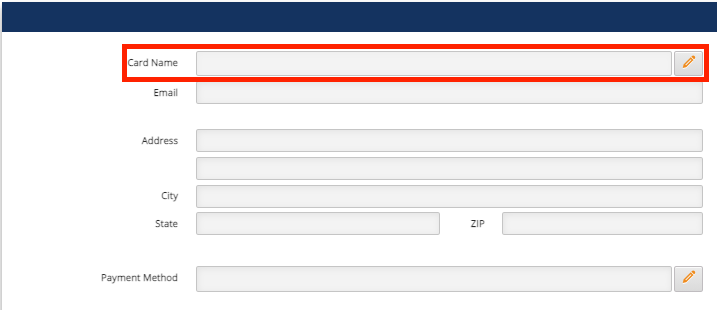
- A dialog will open with the fields you can modify. Make changes required and then press Save.
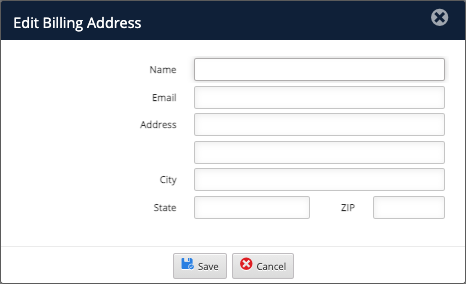
- Click the Card Name edit button (
- Payment Method
- Click the Payment Method edit button.
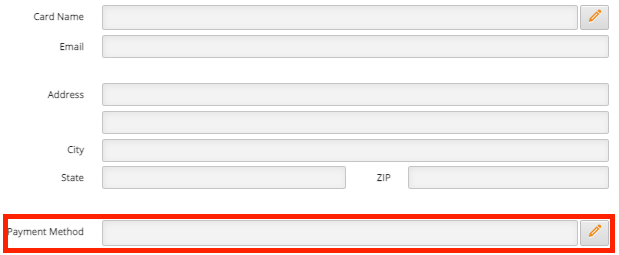
- A dialog will open with payment methods that can be selected. Select the payment method, enter the payment method details (e.g. credit card number etc.), and press Save.
- Click the Payment Method edit button.
Comments
0 comments
Please sign in to leave a comment.