
If you are requested to install a .NET Framework, this is easy to do.
The .NET Framework is supplied by Microsoft and is needed for some features of AGENCYMATETM. This needs to be downloaded from Microsoft and installed on your machine. To do this, follow the steps below:
- Press the Help button in the top right of the screen

- A menu will open. Select the Installers menu item
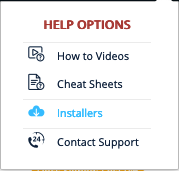
- A dialog will open. Select the .Net Framework 4.8 option
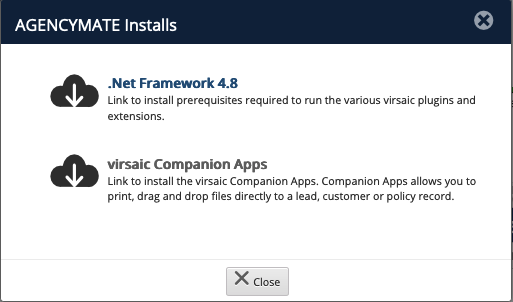
- This will start a download Save and execute the file. This will cause the Microsoft .Net installer to run. Follow the prompts to complete the installation.
Comments
0 comments
Please sign in to leave a comment.